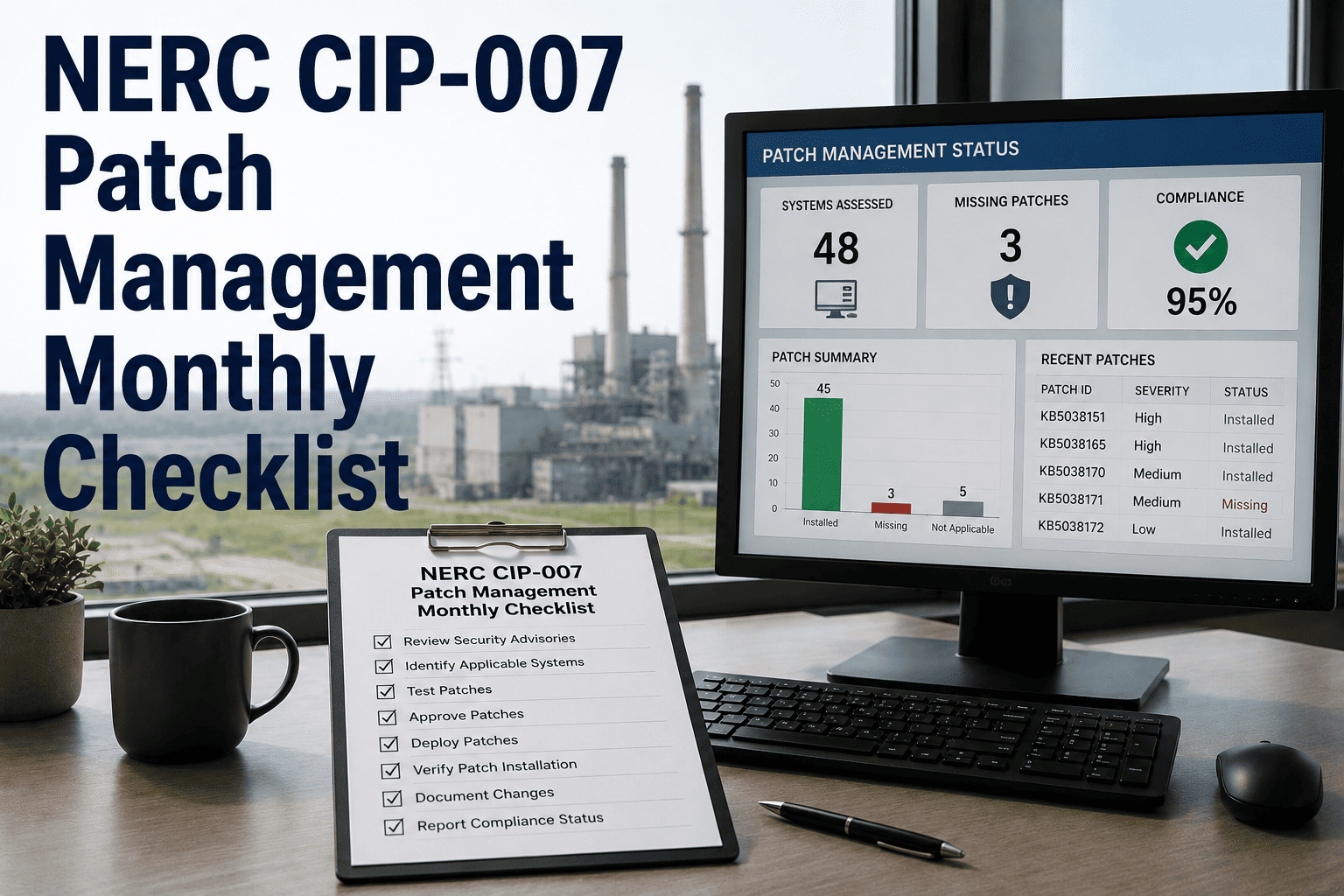
NERC CIP-007 patch management is one of the most operationally demanding cybersecurity requirements in the electric utility industry — requiring utilities to identify, evaluate, implement, or formally mitigate every security patch released for every applicable Cyber Asset within a strict 35-day identification window and a defined implementation or mitigation timeline. The complexity compounds quickly across large fleets of substations with diverse vendor ecosystems, legacy control systems with infrequent patch support, and operational windows that make patching during generation or transmission events impossible. This page provides a complete NERC CIP-007 patch management monthly checklist covering identification, evaluation, installation, and mitigation documentation — structured for relay technicians, IT/OT security teams, and compliance managers who need a systematic, repeatable process every month. Utilities that digitize this workflow in a CMMS like OxMaint consistently report fewer missed deadlines, cleaner audit records, and faster evidence production. Start your free OxMaint trial and build your CIP-007 patch management workflow today.
NERC CIP-007 · Patch Management · Monthly Checklist
NERC CIP-007 Patch Management Monthly Checklist
Identification, evaluation, installation, and mitigation documentation — every task your CIP-007 patch management program requires each month, with CMMS-tracked evidence that survives an audit.
CIP-007 R2 Patch Timeline Requirements
Day 0
Patch or security notification released by vendor
Day 35
Identification and evaluation must be documented
Day 35+
Install patch OR document mitigation plan with target date
Ongoing
Track implementation and maintain evidence through retention period
What Falls Under CIP-007 R2
Which Assets and Patch Sources Your Program Must Cover
CIP-007 R2 applies to every high and medium impact BES Cyber System that has software for which security patches exist. The asset categories and patch sources below define the minimum scope of your monthly monitoring program.
Asset Categories
EMS / SCADA / DCS / HMI servers and workstations
Protection relays with firmware update capability
Communication servers and routers within ESP
Data historian servers and interfaces
Operator consoles and engineering workstations
Remote access servers and jump servers
Patch Sources to Monitor Monthly
ICS-CERT and CISA advisories
Microsoft Patch Tuesday releases
SCADA and EMS vendor security bulletins
Relay manufacturer firmware release notes
Antivirus and endpoint security definition updates
OS and middleware vendor security advisories
The Monthly Compliance Checklist
CIP-007 Patch Management — All Monthly Tasks
This checklist covers the full monthly patch management cycle from identification through evidence archiving. In OxMaint, each phase generates a trackable work order with status, assignee, deadline, and attached evidence — so nothing falls through the cracks between discovery and documentation.
Phase 1 — Identification
6 tasks
✓
Monitor all defined patch sources for new security notifications
Document each notification with source URL, release date, and CVE reference
✓
Log each new patch into CMMS with discovery date and 35-day deadline
Date of discovery sets the evaluation deadline — log immediately upon discovery
✓
Cross-reference each patch against BES Cyber Asset inventory
Identify which assets in scope are affected by each patch or advisory
✓
Assign evaluation owner and implementation team to each new patch item
Both roles documented in CMMS at identification time
✓
Review prior month's open patch items — check status against deadlines
Flag any items at risk of missing implementation target date
✓
Generate monthly patch inventory report showing all open, mitigated, and completed items
Required for internal review and audit preparation; retain in CMMS
Phase 2 — Evaluation
6 tasks
✓
Applicability determination — does the patch apply to any BES Cyber Asset?
Document determination with rationale even for non-applicable patches
✓
Severity and risk assessment — criticality rating and affected system type
Critical vulnerabilities (CVSS 9+) escalate to expedited implementation track
✓
Vendor compatibility and testing status review
Has vendor validated patch for your specific system version and configuration?
✓
Operational window assessment — determine feasible installation timeframe
Coordinate with operations for outage window if patch requires system restart
✓
Decision documentation — install, mitigate, or document as not applicable
All three outcomes require written documentation; verbal decisions are not compliant
✓
Evaluation completed within 35 days — confirm and timestamp in CMMS
Missing the 35-day evaluation window is a direct CIP-007 R2 violation
Phase 3 — Installation
6 tasks
✓
Pre-installation system backup and snapshot
Full configuration backup before any patch is applied; retain backup in secure storage
✓
Test patch in lab or non-production environment if available
Document test results; if no test environment exists, document that decision with justification
✓
Apply patch per approved change management procedure
Use authorized patching method only; document installer name and method used
✓
Post-installation functional verification — system operates normally
Run operational test protocol; document pass/fail result with technician sign-off
✓
Update asset inventory with new firmware or software version
Inventory must reflect current version within 30 days of patch application
✓
Close patch work order in CMMS with completion timestamp and evidence attached
Attach patch log, version confirmation screenshot, and technician signature
Phase 4 — Mitigation
5 tasks
✓
Document reason patch cannot be installed — vendor incompatibility, EOL system, operational constraint
Reason must be specific and technically justified; generic statements are insufficient
✓
Define compensating security control — firewall rule, network isolation, monitoring enhancement
Control must address the specific vulnerability that the patch would have closed
✓
Implement mitigation control and document implementation date
Mitigation must be in place before the patch implementation deadline passes
✓
Set target installation date if patch will be installed in a future outage window
Target date must be documented; management approval required if target exceeds 6 months
✓
Monthly review of all open mitigation items — confirm controls still in place
Mitigation is not a permanent solution; each open item reviewed every 30 days
Free to Start · 35-Day Deadline Tracking Built In
Never Miss a CIP-007 Patch Evaluation Deadline Again
OxMaint auto-creates a work order for every new patch item, counts down to your 35-day evaluation deadline, and tracks each patch through identification, evaluation, installation, and evidence archiving — automatically.
Audit Risk Areas
CIP-007 R2 Violations Most Likely to Result in NERC Fines
CIP-007 is consistently among the top five NERC standards by violation count each year. These are the specific R2 compliance gaps that generate the largest penalties and most complex remediation requirements.
High Penalty Risk
Missing 35-Day Evaluation Documentation
Failing to document patch evaluation within 35 days of discovery — even if the patch was eventually installed — constitutes a direct violation. "We installed it" does not satisfy the evaluation documentation requirement.
High Penalty Risk
Unpatched Assets Without Documented Mitigation
A security patch that was identified but neither installed nor mitigated — even on a low-priority asset — is a clear R2 violation. Every applicable asset must have a documented outcome within the required window.
Medium Penalty Risk
Incomplete Asset Inventory for Patch Scoping
If your BES Cyber Asset inventory is inaccurate or out of date, patch evaluations will miss assets. The patch record is only as complete as the asset inventory it references — inventory gaps create direct compliance exposure.
Medium Penalty Risk
Mitigation Controls Not Verified as Implemented
Documenting a mitigation plan is not the same as documenting mitigation implementation. Audit teams check for evidence that the compensating control was actually deployed — a plan with no implementation record does not satisfy R2.
Medium Penalty Risk
Patch Sources Not Comprehensively Monitored
Limiting patch monitoring to a single source (e.g., Microsoft only) and missing vendor-specific security bulletins for SCADA or relay systems creates patches that were never identified — a violation even without any exploitation.
Documentation Risk
Retention Period Gaps in Patch Records
CIP-007 requires patch records to be retained for three years. CMMS or records system migrations that result in record inaccessibility — even temporarily — create a compliance gap that must be reported as a violation.
Frequently Asked Questions
CIP-007 Patch Management — Top Questions
What starts the 35-day CIP-007 patch evaluation clock?
The 35-day window starts from the date the Responsible Entity discovered or should have discovered the security patch or vulnerability notification. NERC expects utilities to monitor vendor sources and ICS-CERT regularly, so "we didn't see it" is rarely accepted as a defense for late discovery. OxMaint lets you log the discovery date immediately and auto-calculates the evaluation deadline.
Start a free trial and set up your patch identification workflow.
Can we use mitigation instead of installing a patch indefinitely?
Technically yes, but with increasing risk. CIP-007 allows documented mitigation as an ongoing alternative to patching, but audit teams scrutinize long-running mitigations closely. Mitigations that have been open for over a year without a credible installation plan tend to attract findings. NERC expects mitigation to be a temporary bridge — not a permanent substitute.
Do antivirus definition updates fall under CIP-007 R2?
Yes. Antivirus signature and definition updates are explicitly covered under CIP-007 R3 (not R2), but they require a similar documented process with defined update frequency and evidence of implementation. Your monthly checklist should include antivirus definition review as a separate tracked activity.
Book a demo to see how OxMaint handles both R2 and R3 compliance tracking.
How long must CIP-007 patch management records be retained?
NERC requires CIP-007 patch management records to be retained for three calendar years. This includes identification records, evaluation documentation, implementation evidence, and mitigation records. OxMaint's retention management automatically flags records approaching deletion thresholds and enforces the minimum retention period.
What evidence does OxMaint generate for a CIP-007 R2 audit?
OxMaint generates a complete patch management evidence package including: dated identification records with source, evaluation documentation with decision rationale, installation work orders with technician sign-off and version confirmation, mitigation records with control description and implementation date, and a summary compliance dashboard showing on-time percentage by asset category. All records export as PDF or CSV.
Start a free trial and see the evidence package format.
Free to Start · 3-Year Record Retention
Turn Your CIP-007 Patch Chaos Into a Clean, Auditable Monthly Process
OxMaint tracks every patch from discovery to evidence archiving — with automatic deadline alerts, structured evaluation workflows, and one-click audit exports. Stop building compliance evidence after the audit notice arrives.